

Mobile Legends WW gift cards
For bulk gift card orders and API delivery.
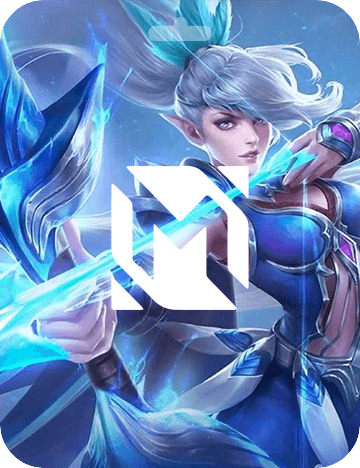
Mobile Legends Diamonds (USD) for players worldwide. Send $1, $5 or $10 top-ups to reward gamers or pay gaming-related work.
Product details
Redeemable in
- Available face values
- USD
- 1
- 5
- 10
- Currency
- USD
- Delivery
- Digital
About Mobile Legends WW
Mobile Legends: Bang Bang is a fast-paced multiplayer online battle arena game with a large global player base. The game is free to play, but Diamonds are the premium currency players use for heroes, skins, and other in-game items. For a business sending rewards to people who play Mobile Legends, a Diamond top-up is a direct way to give something they will actually use.
This card is denominated in US dollars and available in fixed amounts of $1, $5, or $10. It works worldwide: the recipient redeems it on the mdirect.me website, where they validate their player ID and enter the code. The Diamonds are then added to their Mobile Legends account immediately.
Recipients should redeem at https://mdirect.me/mobile-legends. They need their Mobile Legends player ID ready. The process is straightforward: validate the ID, enter the code, confirm, and the Diamonds land in the account. There is no expiry stated for these codes, but it is best to send them promptly after purchase.
For payouts, this card works well for small amounts owed to gamers, such as tournament prizes, affiliate rewards, or compensation for game testers. The $1 face value is particularly useful for micro-rewards and incentives. Because it is a digital code, delivery is easy across borders, and the recipient does not need a bank account or credit card.
GIFQ lets you send Mobile Legends Diamond codes in bulk through the dashboard or one at a time via the API. This is useful when you need to reward many players at once, such as after a community event or a research study. You can order multiple codes and distribute them, and each recipient redeems their own code for their own account.
From product selection to delivery
For a direct order, your business chooses this product, its value and the quantity. Review the card details alongside the recipient’s needs before including it in a bulk order or an integration.
Check the market and value
The card details show the values and currency for this product. Use those to choose an amount that fits your budget and the recipient’s market. For a different country, explore the brand’s other market listings.
Prepare the recipient’s instructions
Use the brand’s instructions to prepare a clear handover to the recipient, including any account or redemption-channel requirements. Ask our team about expiry if it is not listed, then include that information with the reward.
Choose direct ordering or recipient choice
If you need this particular card, order the selected product and value through the dashboard or API. If you want the person to choose the brand, confirm the options available for that payout before presenting the selection.
Start with a small order
Test the flow with a small order and keep its reference. Check the status before repeating a request that appears delayed. In an integration, connect the GIFQ order to your own record so your team can follow up on delivery questions.
Frequently asked questions
Where can the Mobile Legends gift card be redeemed?
The code is redeemed online at https://mdirect.me/mobile-legends. The recipient validates their Mobile Legends player ID, enters the code, and confirms. The Diamonds are added to their account immediately, and this works for players worldwide.
What amounts are available for this card?
The card is available in fixed amounts of $1, $5, and $10 USD. There is no option to choose a custom amount between $1 and $10; you select one of these three denominations.
Does the Mobile Legends gift card expire?
No expiry date is stated in the terms we have for this card. However, it is good practice to send the code soon after purchase and encourage the recipient to redeem it promptly.
Can the same code be used for multiple players or accounts?
No, each code is a single-use top-up. The recipient enters it for one specific Mobile Legends player ID. You need to purchase one code per recipient if you are sending to multiple people.
Can I send Mobile Legends cards in bulk through GIFQ?
Yes. GIFQ supports bulk sending of these cards through the dashboard, and you can also order them via the API for automated payouts. This works well when you need to reward many players, such as for tournament winnings or research incentives.
Send Mobile Legends WW at scale
Order gift cards in bulk from the dashboard or connect through the API. Talk to us about pricing and the markets your program needs.