

Restaurant.com USA gift cards
For bulk gift card orders and API delivery.
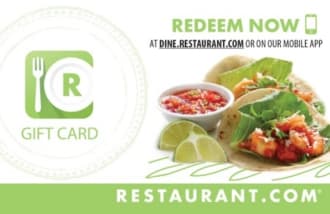
Restaurant.com gift cards let US recipients choose certificates from thousands of restaurants and save money on dining. Cards are in USD and never expire.
Product details
Redeemable in
- Available face values
- USD
- 10
- 25
- 50
- 100
- Currency
- USD
- Delivery
- Digital
- Expiry
- No Expiry
About Restaurant.com USA
Restaurant.com is the largest dining deals site in the US, with certificates from more than 16,000 restaurants and online providers. Sending this card is a practical way to give someone a discounted meal out while leaving the choice of where to eat to them. The card itself is not accepted directly at restaurants; recipients exchange it for a certificate at Dine.Restaurant.com or through the Restaurant.com app.
Cards are available in USD at $10, $25, $50, and $100, and they never expire. There is no cash value, and refunds are not offered. Minimum spend requirements vary by restaurant and other restrictions apply, so recipients should check the terms for each certificate before choosing.
For US businesses, this card works well for a range of use cases. It can be a light-touch customer thank you, a team reward for hitting a goal, or a payout option for research participants and gig workers. Because it is a dining-specific voucher, it is better suited to people who live near participating restaurants, which are most common in US cities and suburbs.
Through GIFQ, you can send Restaurant.com cards in bulk from the dashboard or one at a time via API, with no need to manage individual redemptions. The card is for use in the US only and cannot be used outside the country or in other markets. Recipients should be US-based, or comfortable redeeming certificates for US restaurants.
If you need a card for another country, this one will not work. GIFQ has separate cards for other markets, so check the list of available countries when you set up your order.
From product selection to delivery
For a direct order, your business chooses this product, its value and the quantity. Review the card details alongside the recipient’s needs before including it in a bulk order or an integration.
Check the market and value
The card details show the values and currency for this product. Use those to choose an amount that fits your budget and the recipient’s market. For a different country, explore the brand’s other market listings.
Prepare the recipient’s instructions
Review the expiry information shown and the brand’s instructions. Check whether redemption requires an account or a particular channel. Deliver those instructions with the reward so the recipient knows how to use it.
Choose direct ordering or recipient choice
If you need this particular card, order the selected product and value through the dashboard or API. If you want the person to choose the brand, confirm the options available for that payout before presenting the selection.
Start with a small order
Test the flow with a small order and keep its reference. Check the status before repeating a request that appears delayed. In an integration, connect the GIFQ order to your own record so your team can follow up on delivery questions.
Frequently asked questions
Where can a recipient use a Restaurant.com gift card?
The card is not used directly at restaurants. The recipient redeems it online at Dine.Restaurant.com or in the Restaurant.com mobile app for a restaurant-specific certificate. The certificate can then be presented on a mobile device or printed. Participating restaurants are located across the US.
What amounts can I send with a Restaurant.com USA gift card?
You can send fixed amounts of $10, $25, $50, or $100 in US dollars. Custom amounts are not available for this card.
Does the Restaurant.com gift card expire?
No. The eGift card has no expiration date. However, the restaurant certificates you redeem it for may have their own terms and validity periods, so check the certificate details when redeeming.
Are there any restrictions or fees?
The gift card has no cash value and cannot be refunded. Minimum spend requirements and other restrictions vary by restaurant. Restaurant.com is not responsible for lost or stolen cards. For help, call 888-745-6989.
Can I send Restaurant.com gift cards in bulk through GIFQ?
Yes. GIFQ supports both bulk sending from a dashboard and API-based delivery. This makes it easy to send Restaurant.com cards as customer rewards, employee incentives, or research compensation without managing individual orders manually.
Is this card valid outside the United States?
No. This card is for use in the US only and is not interchangeable with cards from other markets. Recipients must redeem for certificates at US restaurants.
Send Restaurant.com USA at scale
Order gift cards in bulk from the dashboard or connect through the API. Talk to us about pricing and the markets your program needs.